

Lesson 4 of 102 steps · about 2 minutes
Keep your team in the loop
Give students one place to hear from you. A quick post is enough.
Step 1 of 2
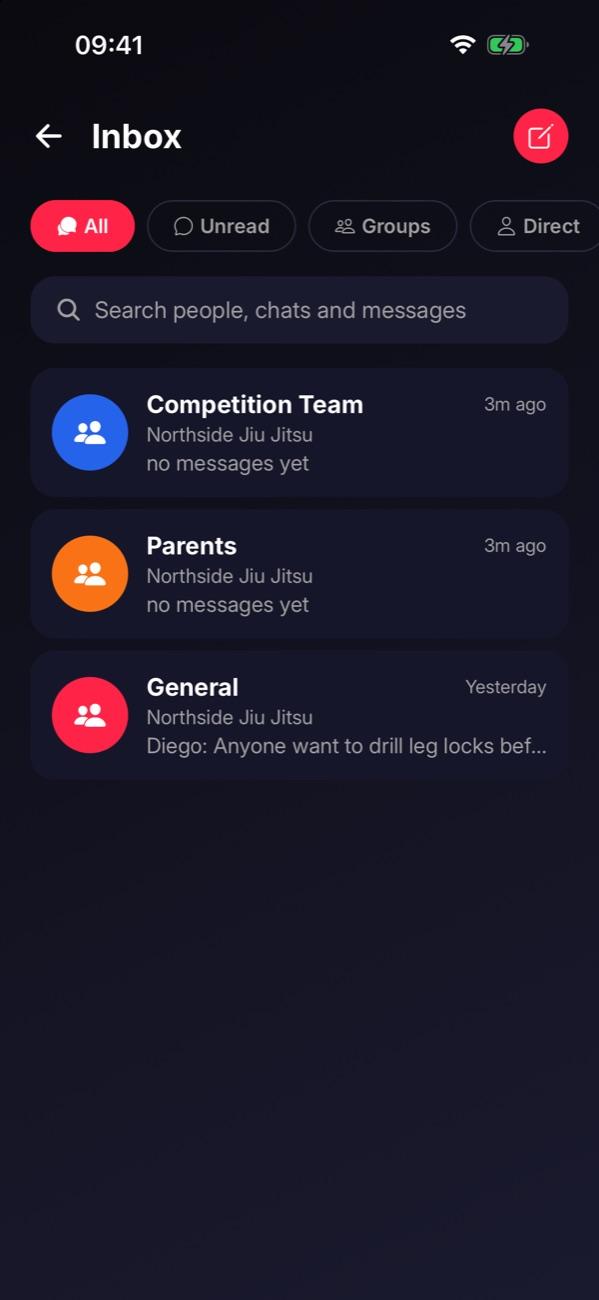
Open your inbox
Your academy’s team chat lives in the inbox. General is the channel everyone’s in.
Step 2 of 2
Post this week’s focus
Open General, write what you’re working on this week, and send. Add a video when you’re ready.
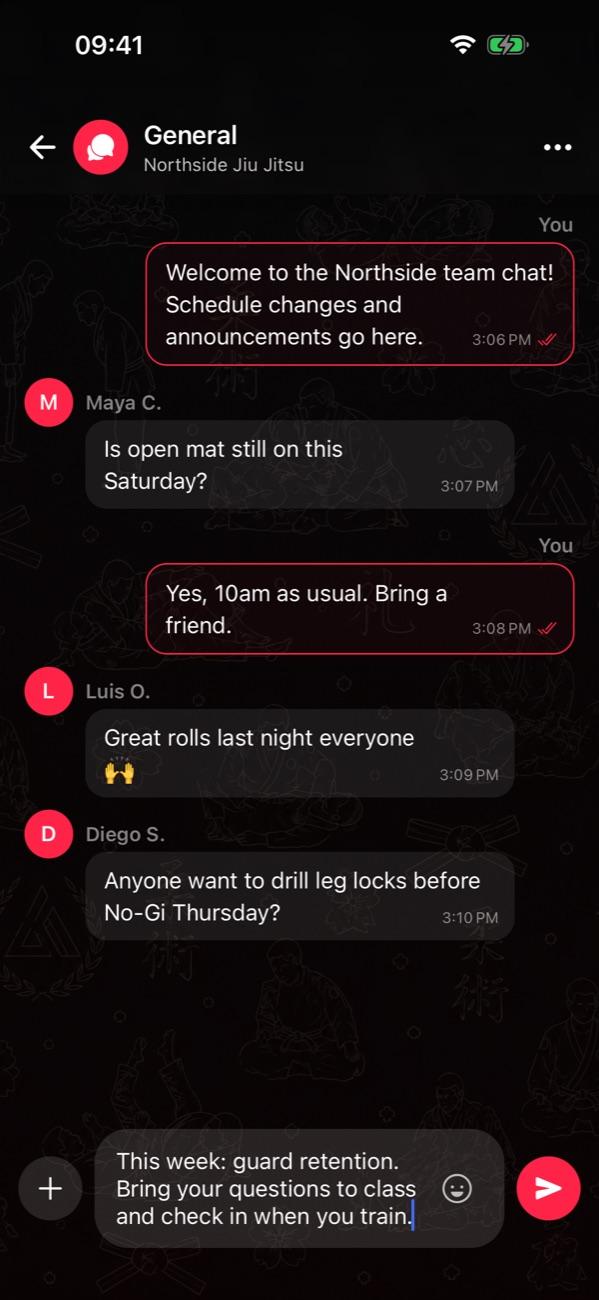

Tip: Try: “This week: [your technique or position]. Bring your questions to class, and tap in when you train.”
Stuck on this step?
Ask Darcy, or email us and we’ll help you set it up.