

Lesson 3 of 104 steps · about 2 minutes
Run your first tap-in
One class of tap-ins is your first attendance record.
Tapping in is how students mark that they came to class. Each tap-in goes on their training log and your attendance.
Step 1 of 4
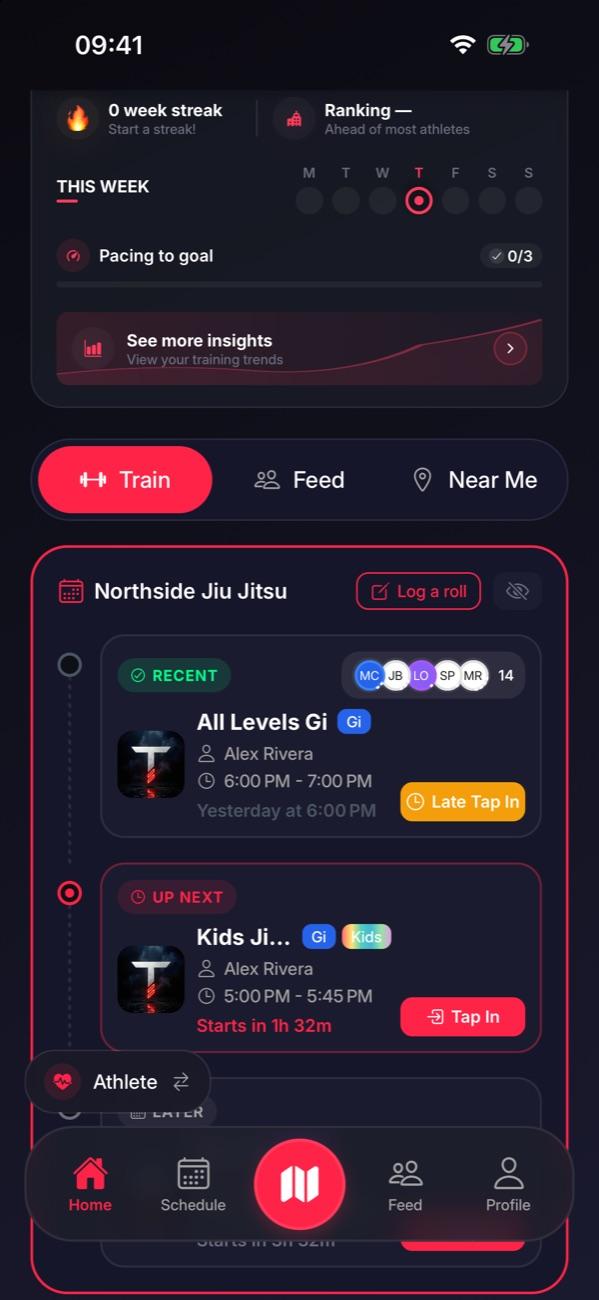
Students tap in from their phones
On their Home screen, your class shows up with a Tap In button. One tap and they’re tapped in.
Step 2 of 4
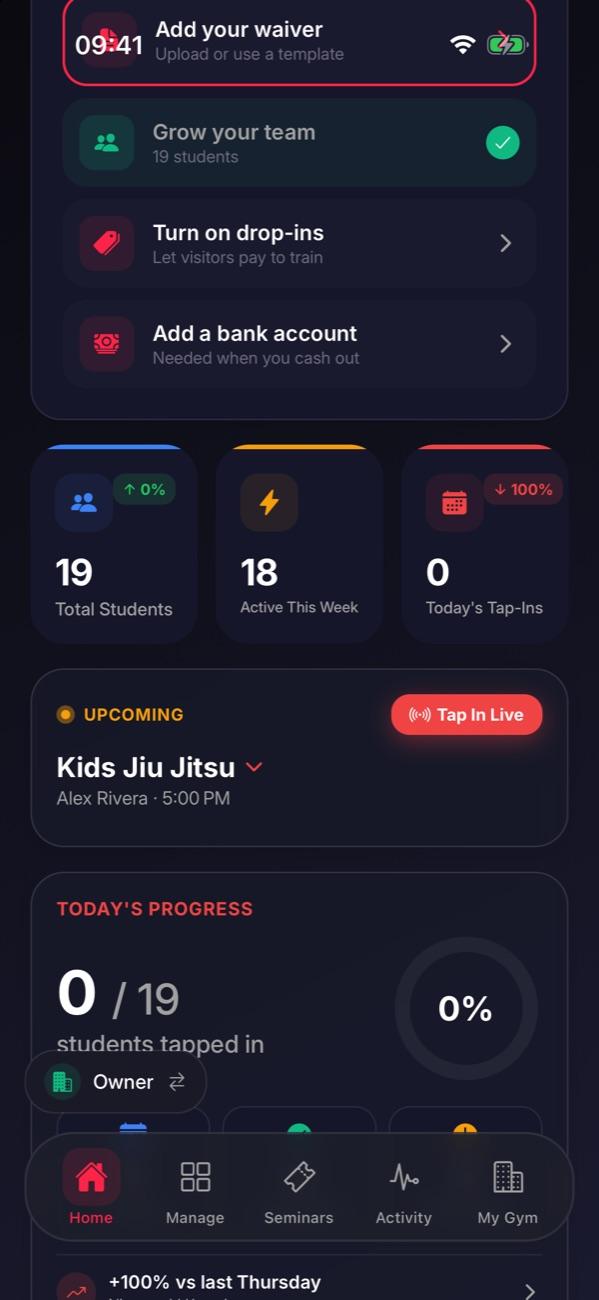
Or set up Tap In Live
On your Home tab, pick the class on the live card and tap Tap In Live. Leave an iPad or phone by the mat.
Step 3 of 4
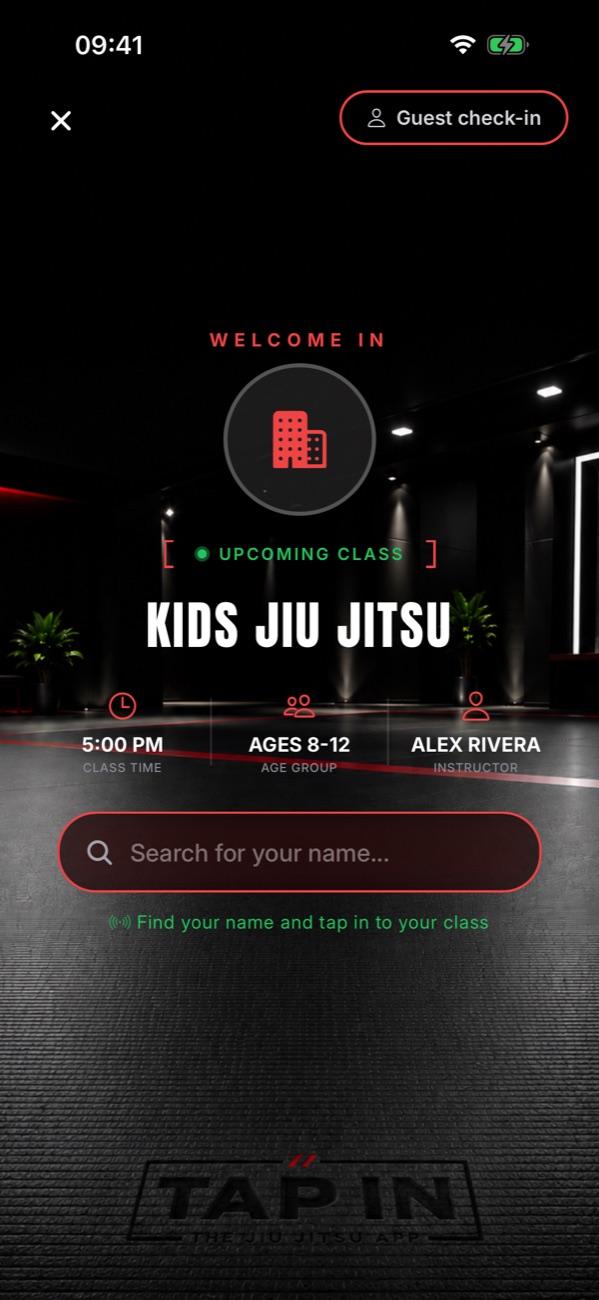
Students find their name
They search their name and tap TAP IN as they walk in. Guests can tap in from the same screen.
Step 4 of 4
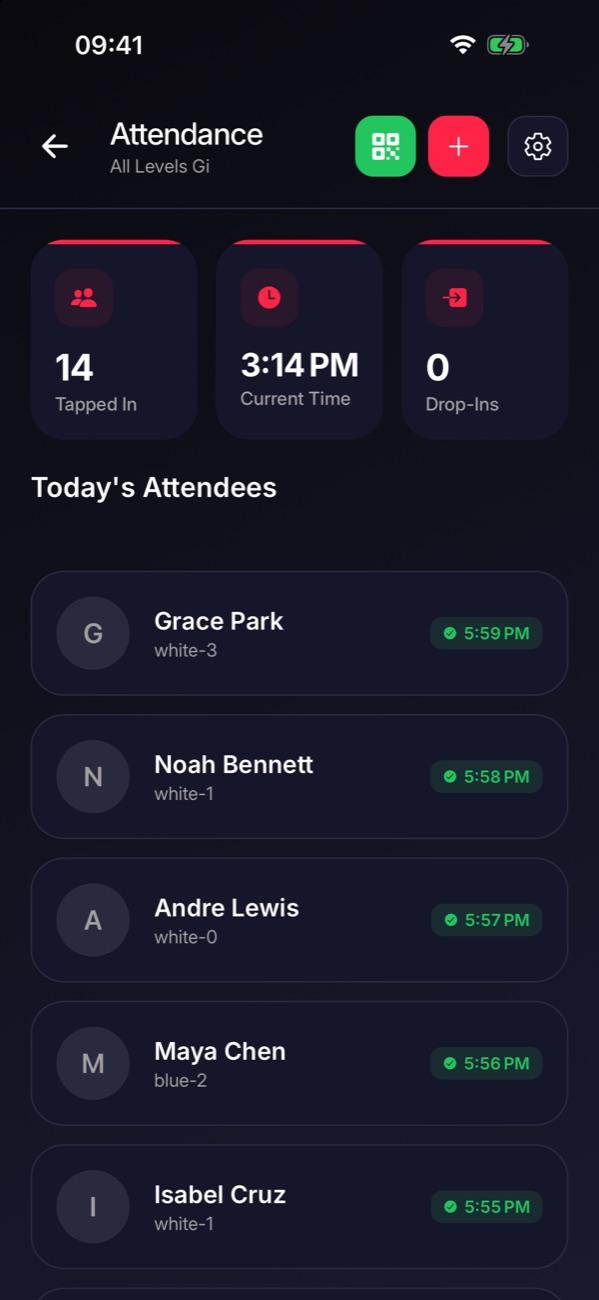
Check who came
After class, open Classes, tap the class, then Attendance to see everyone who tapped in.

Stuck on this step?
Ask Darcy, or email us and we’ll help you set it up.