

Lesson 8 of 103 steps · about 2 minutes
Set up your first membership plan
Sell memberships in the app. Start with one plan.
Step 1 of 3
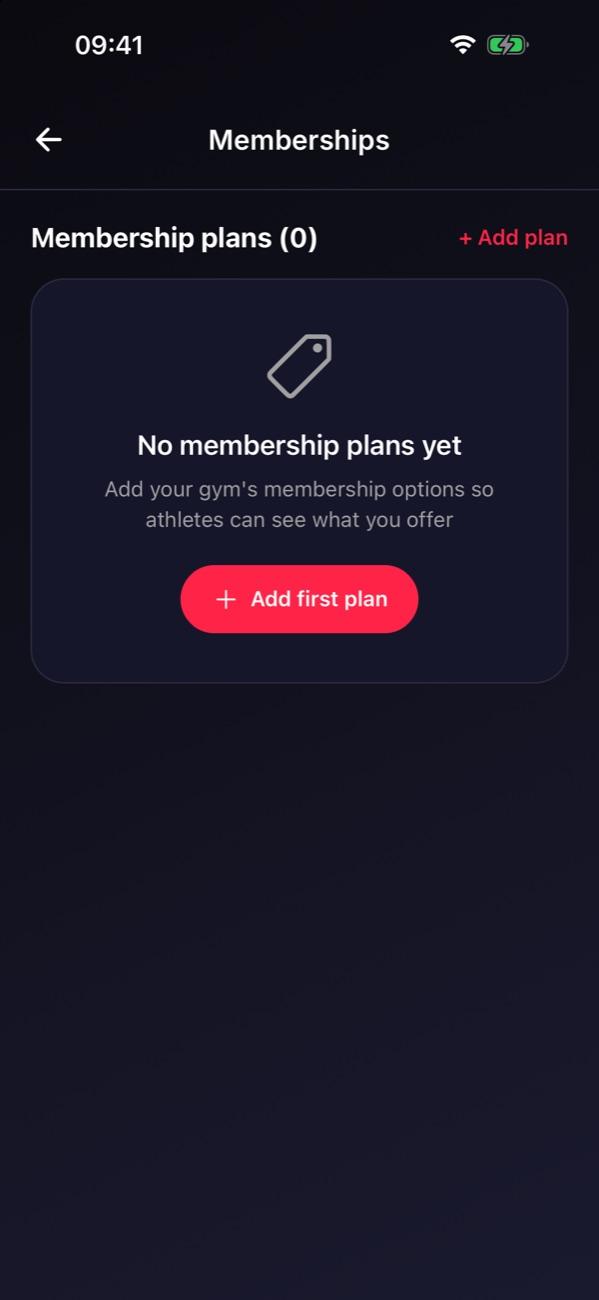
Open Memberships
Go to Manage and tap Memberships, then Add plan.
Step 2 of 3
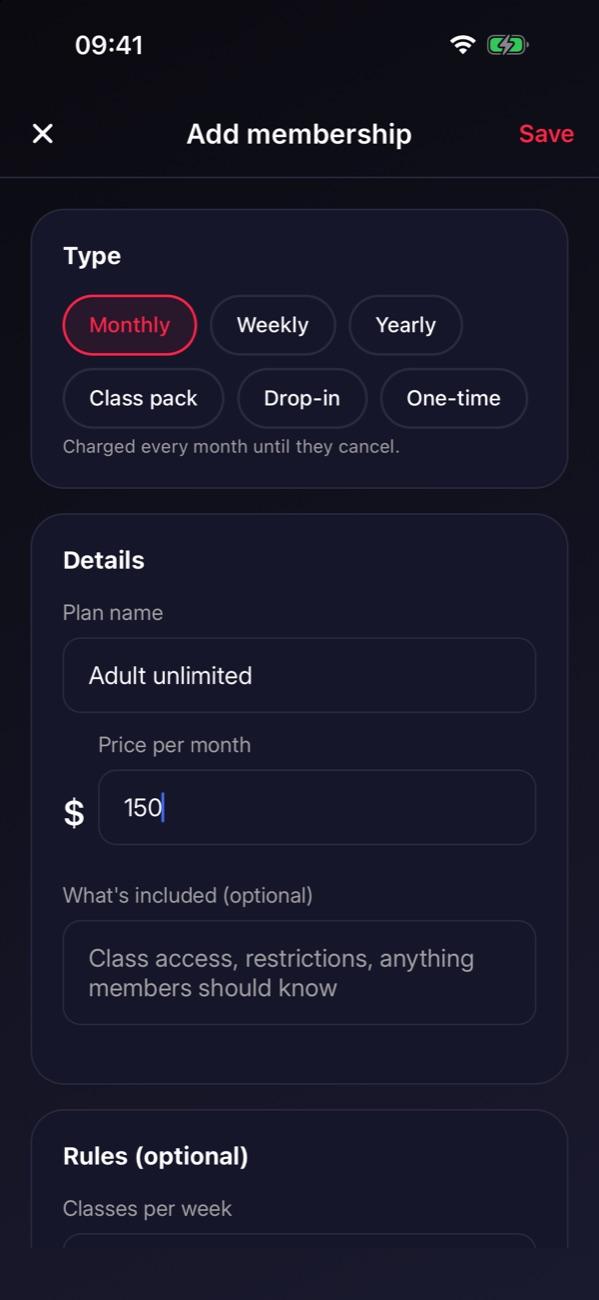
Create one plan
Pick the type, name it, set the price, and tap Save. Turn on Show in the app when you’re ready to sell it.
Step 3 of 3
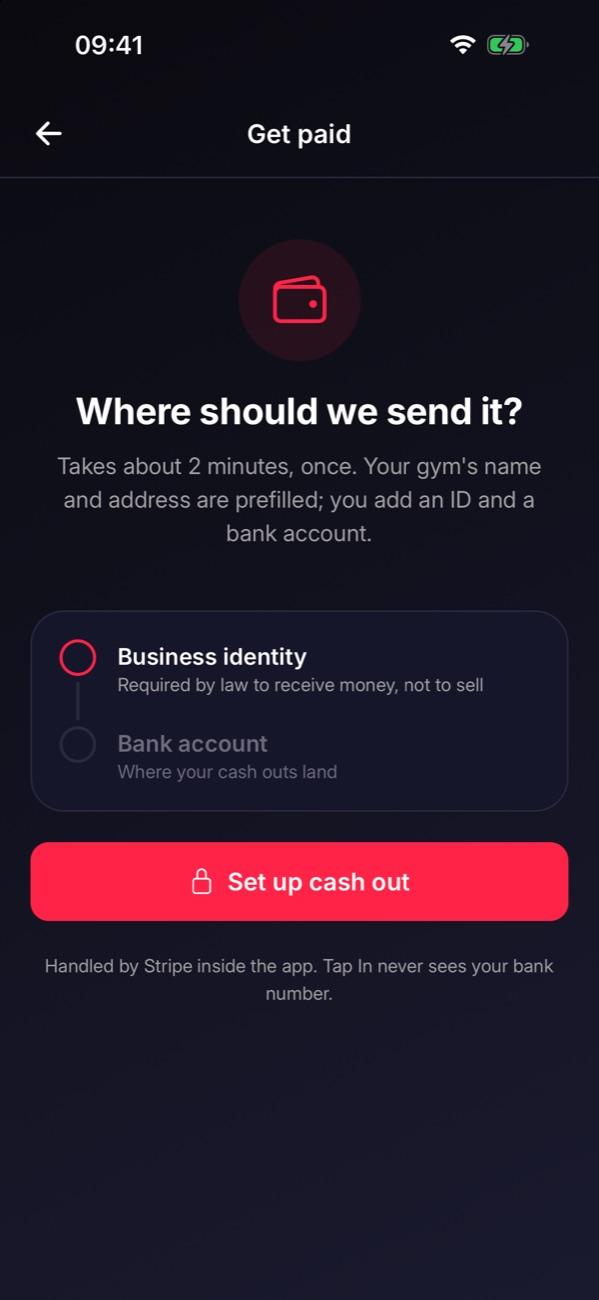
Set up payouts
In Settings, tap Set up payments and add your business and bank account so you can cash out.
Tip: If students already pay through another system, plan the switch before starting any new charges. We’re happy to help.
Stuck on this step?
Ask Darcy, or email us and we’ll help you set it up.