

Lesson 1 of 103 steps · about 2 minutes
Set your class schedule
Students tap in to a class, so start with the classes you already teach.
Step 1 of 3
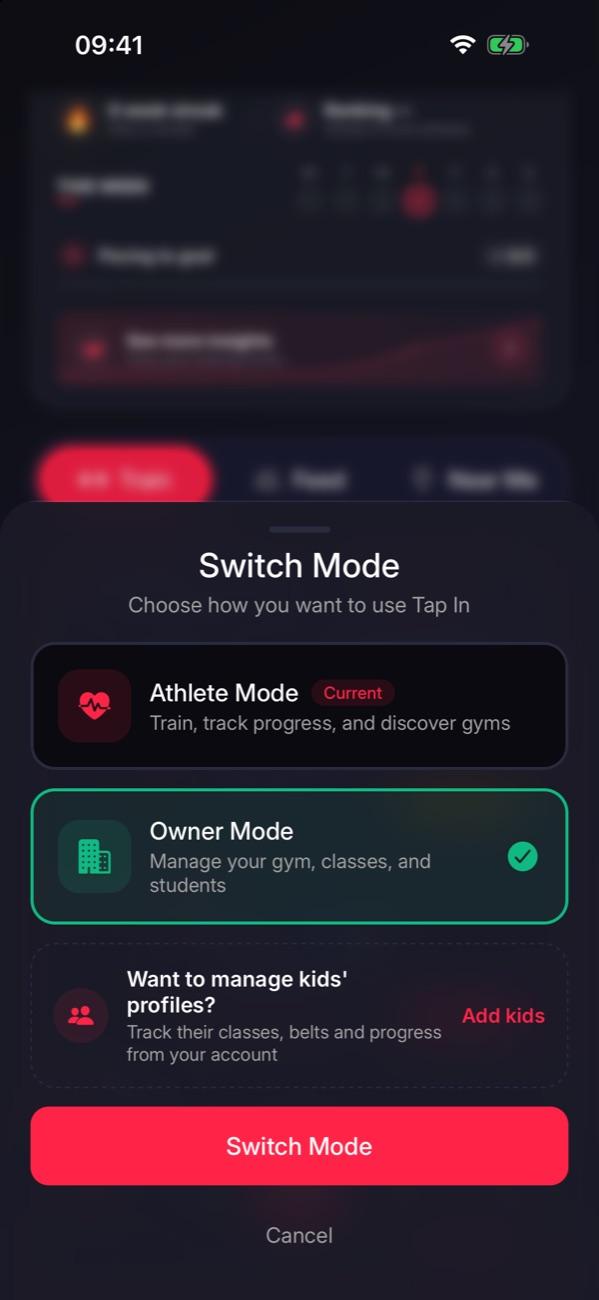
Switch to owner mode
Tap the Athlete pill at the bottom left, choose Owner Mode, then tap Switch Mode.
Step 2 of 3
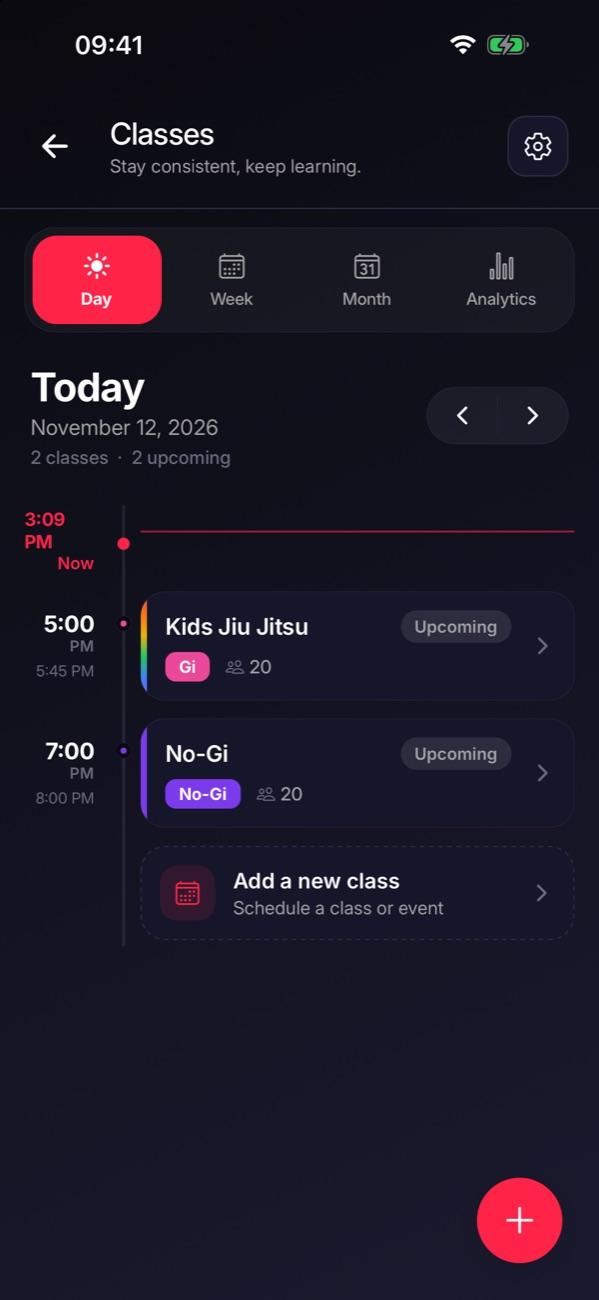
Open Classes
Go to the Manage tab and tap Classes. You’ll see today’s classes, and Week and Month views.
Step 3 of 3
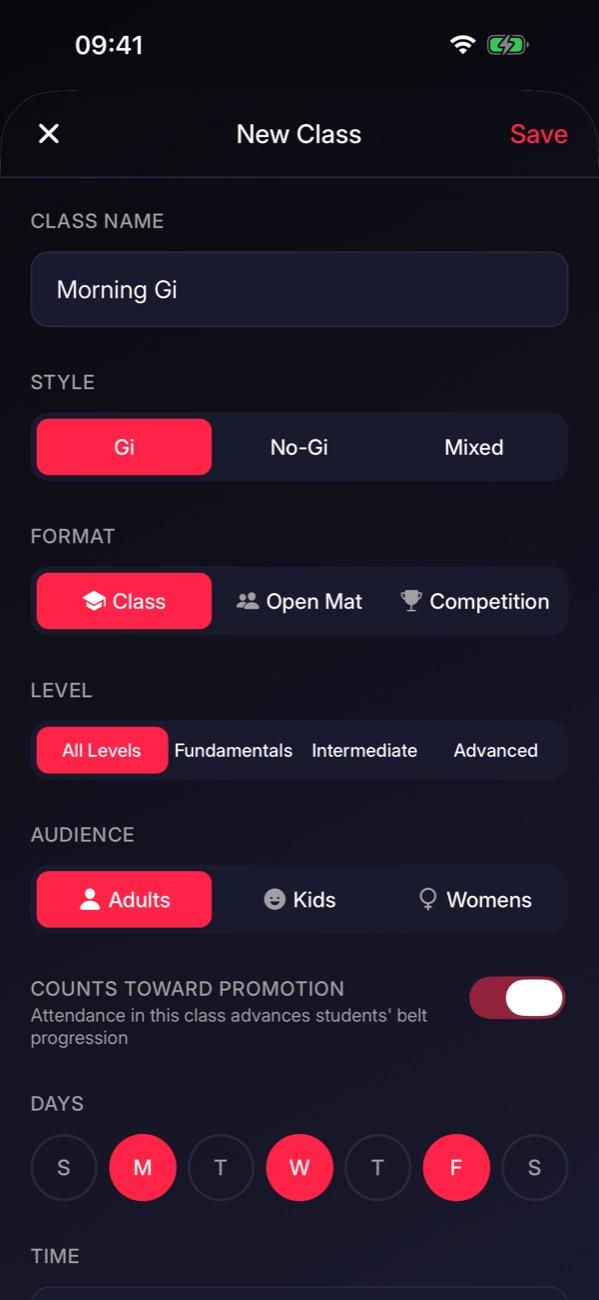
Add a class
Tap +, name the class, pick its days and start time, then tap Save. The days you pick repeat every week.

Tip: Already see your classes? You’re a step ahead. Check the days and times are right and move on.
Stuck on this step?
Ask Darcy, or email us and we’ll help you set it up.